How to Make Anki Cards From a Book (the Fast Way)
If you read books in a language you are learning, you already know the quiet frustration. You meet a beautiful word, you understand it from context, you feel a little spark, and then two pages later it is gone. Reading is one of the best ways to grow your vocabulary, but only if the words actually stick.
The classic fix is to make flashcards and review them over time. It works. The problem is the making. Doing it by hand is slow enough that most people quietly give up.
This guide walks through the fastest way to go from a word on a paper page to a flashcard you will genuinely remember, including how to do the whole thing in a few seconds with Vocaboodie.
Why flashcards from books work so well
When you pull a word straight from something you are reading, you get three things that make it easy to remember:
- Context. You met the word inside a real sentence you cared about, not on a random list. Your brain already has a hook for it.
- Relevance. These are the exact words standing between you and the book you want to read. Learning them pays off immediately on the next page.
- An example sentence. A good card is not just "manzana = apple." It is the word, the meaning, and a sentence that shows it alive. That context is what makes the meaning come back later.
Add a review schedule that brings each word back right before you would have forgotten it, and you have the whole recipe. That last part has a name people search for a lot: spaced repetition. It simply means reviewing a word at growing intervals so you spend your time on the words you are about to lose, not the ones you already know.
The slow way (and why people quit)
Here is the manual version, the one most readers try first:
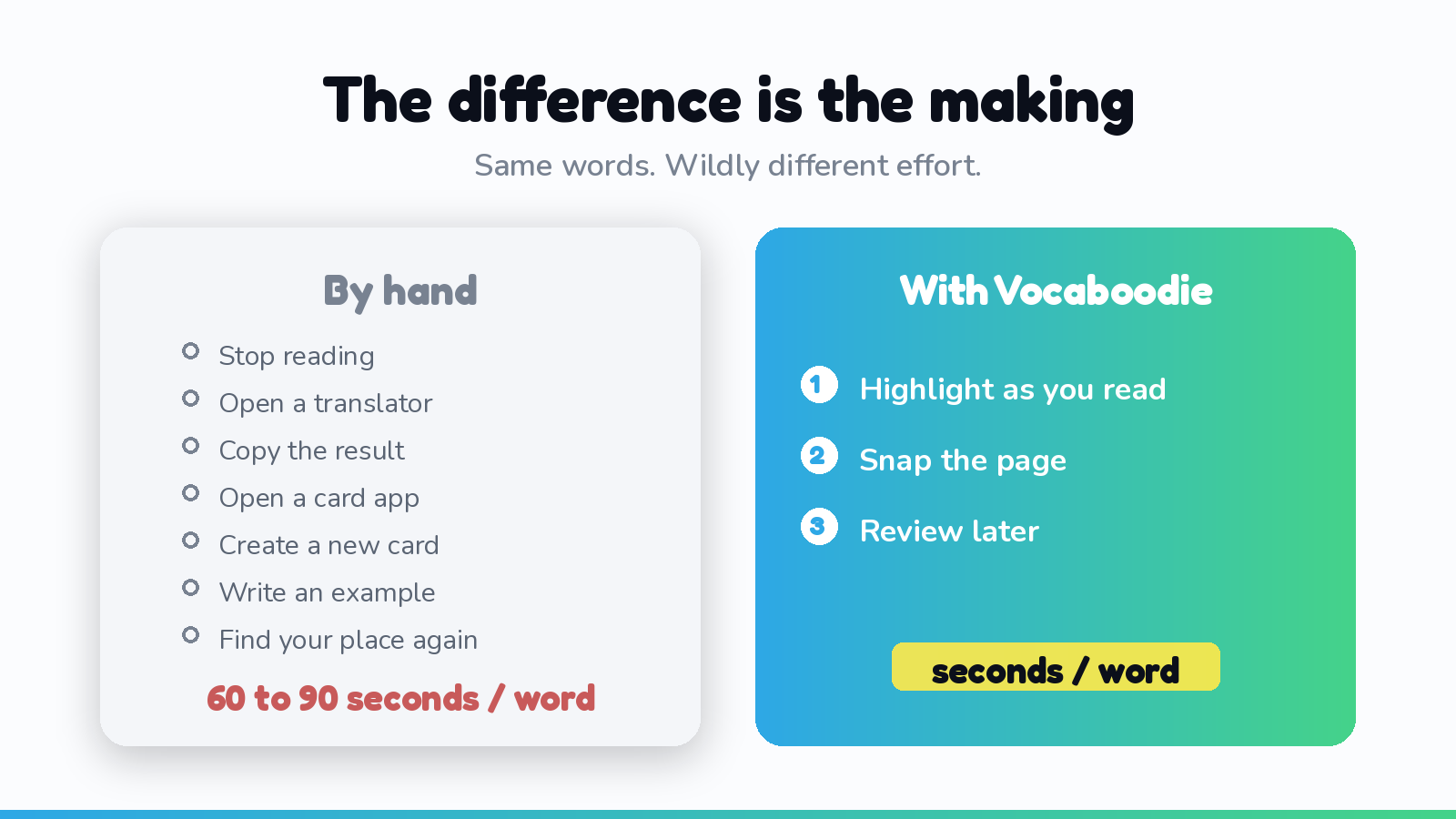
- Stop reading and find your phone.
- Type the word into a translator.
- Copy the translation.
- Open your flashcard app and create a new card.
- Paste the word and the meaning.
- Write or find an example sentence.
- Save, and try to remember where you were in the book.
That is around sixty to ninety seconds per word. Do it for five words on one page and you have spent eight minutes not reading. After a few sessions, the friction wins and the cards stop getting made. It is not a discipline problem. It is a design problem.
The fast way: highlight, snap, done
The trick is to remove every step between seeing the word and saving the card. That is exactly what Vocaboodie is built to do, and it is why it sits first on any list of tools for readers (more on the alternatives below).
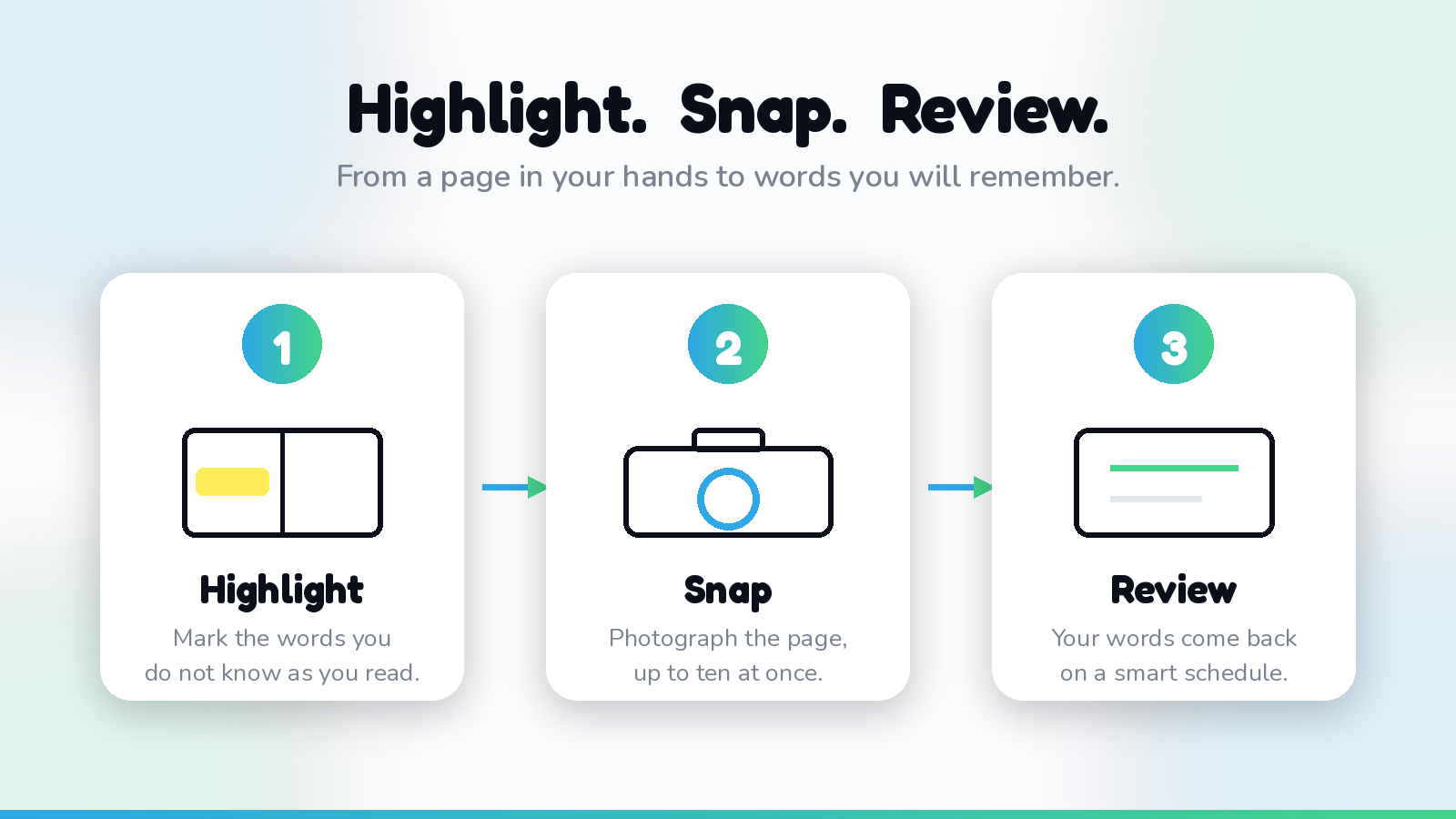
The whole flow is three moves:
- Highlight the words you do not know as you read, with a normal highlighter. No stopping, no phone. Just keep reading and mark what you want.
- Snap a photo of the page when you reach a natural pause. You can capture up to ten pages in one go.
- Review. Vocaboodie reads the page, pulls out only the words you highlighted, translates each one with an example sentence, and drops them into a review schedule. You get a quick editable list before anything is saved, so you stay in control.
Because the captures happen in batches and the reviewing happens later, you never break the spell of the book. You read like you normally would, and the vocabulary work happens around it.
Vocaboodie reviews your words too, Anki is optional
Here is the part people miss: Vocaboodie is not only a capture tool. It also reviews your words for you, on a smart schedule, so you can run the whole loop in one place. Highlight, snap, review, with nothing to set up. It does what a flashcard app does, and adds the capturing those apps never had.
If you already live in Anki, you are not locked out. Vocaboodie lets you export your captured words to Anki or CSV anytime. But that is just one option, not the main event. Most readers simply capture and review inside Vocaboodie, and the words they marked never vanish.
Vocaboodie vs the usual suspects
A quick honest map of where each tool fits:
- Vocaboodie. Built for physical books. Highlight, snap, and your words are captured, translated, and reviewed for you, with example sentences. The only one of these designed around paper, and it handles the review too.
- LingQ and Readlang. Lovely for digital text, web pages, and ebooks, but they cannot help with the paperback in your hands.
- Migaku. Strong for video and digital immersion, again centered on screens.
- Anki and Quizlet. Powerful for review, but card creation is fully manual. Vocaboodie does the review too, and adds the capturing those apps were always missing. Export to Anki anytime if you prefer it.
If you read on a screen, the digital tools are great. If you read real books, you want capture that starts at the page.
A simple weekly rhythm
You do not need a complicated system. Try this:
- Read as usual, highlighting freely. Do not overthink which words "deserve" a card.
- Once or twice a week, snap the pages you marked and let your new words land in the review queue.
- Spend five minutes reviewing on the days you can. The schedule decides what to show you, so you do not have to.
That is enough to turn a normal reading habit into steady vocabulary growth. The reading stays fun, and the words start to stay.
For a deeper look at building the habit itself, see how to actually remember the words you read.
The takeaway
Making flashcards from a book is one of the most effective things a language learner can do, and historically one of the most annoying. The annoyance was never about the cards. It was about the seven manual steps between the page and the deck.
Remove those steps and the whole thing changes. Highlight as you read, snap the page, and let the words come back to you on schedule. That is the fast way, and it is the difference between meaning to learn the vocabulary in your books and actually keeping it.
Ready to try it on the book you are reading right now? Start with Vocaboodie and turn today's pages into words you will remember.