The Easiest Anki Alternative for People Who Read Real Books
Anki is a wonderful piece of software. It is free, it runs on every device you own, and the review scheduling underneath it is genuinely good at one job: bringing a card back right before you would have forgotten it. If you have ever wondered why serious language learners keep recommending it, that is the reason. The reviews really do work.
But here is the quiet thing nobody mentions when they hand you a starter deck. Anki is brilliant at reviewing cards. It does almost nothing to help you make them. And if the words you want to learn live inside a physical book, a paperback novel, a secondhand textbook, a library copy you have to give back, then making the cards is the entire job. The reviewing is the easy part.
This post is for readers who love real books and keep bouncing off Anki, not because the reviews are bad, but because building a deck from a printed page is slow, fiddly work that eats the time you would rather spend reading.
Where Anki actually stops helping
Picture the last chapter you read in another language. You met, say, twelve words worth keeping. You marked them, a highlighter stroke here, an underline there. Good. That was the reading half of the work, and it went fine.
Now comes the other half. To study those twelve words in Anki, you open the app, create a card, type the word, hunt down a definition, ideally copy the sentence it appeared in so the meaning sticks, maybe add the page number, then repeat that eleven more times. A single chapter can take longer to turn into cards than it took to read. Do that for a whole book and the math gets grim.
So most people quietly give up on the parts that feel optional. First the example sentences go. Then the harder-to-look-up words go. By the end you are only carding the handful of words that felt important enough to justify the typing, which means the book's real vocabulary, the long tail of useful words you actually met, slips away unstudied. Anki never sees them, so Anki can never help you remember them.
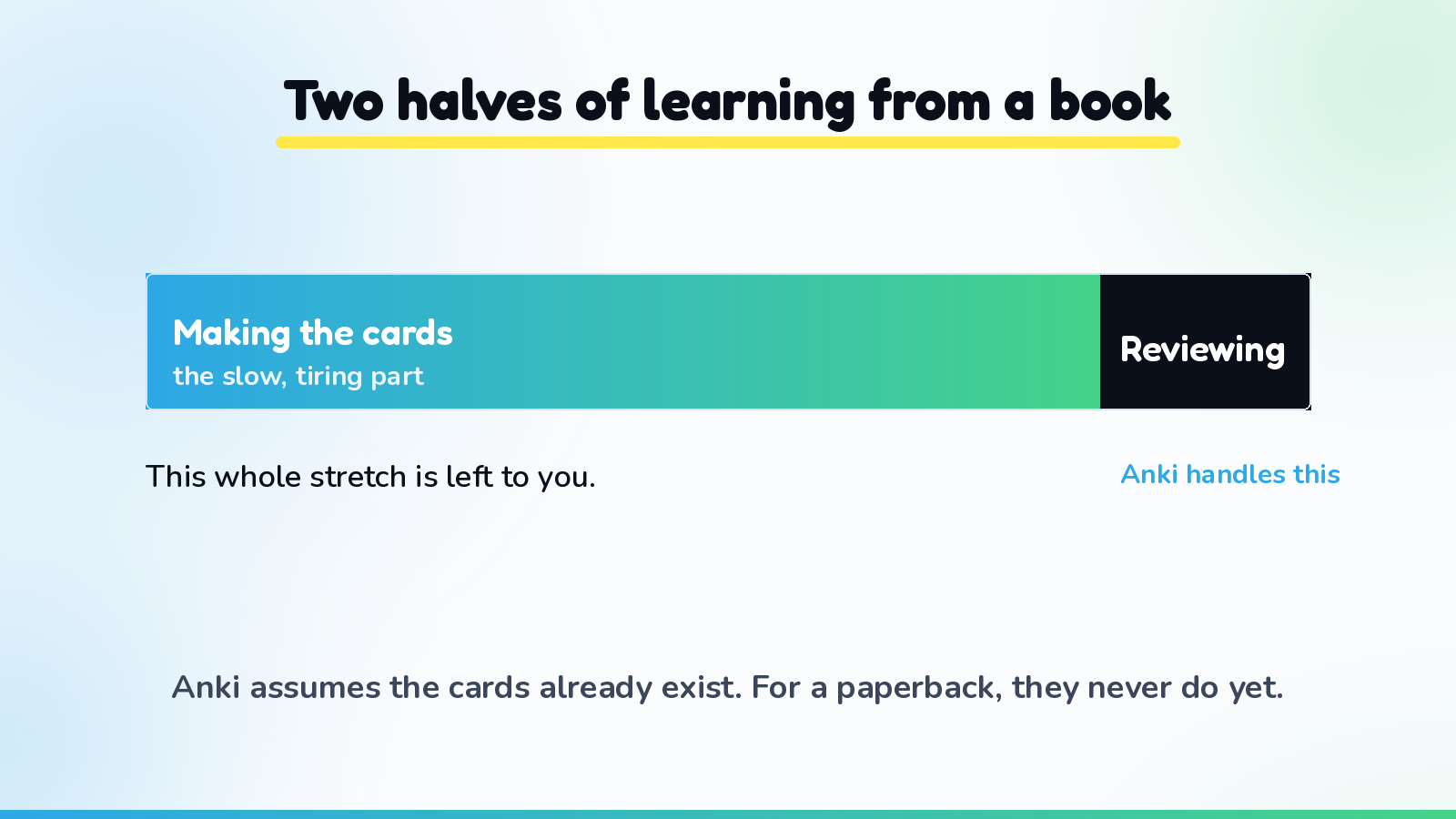
None of this is a knock on Anki's reviewing. It is just the honest boundary of what Anki was built to do. It assumes the cards already exist. For a reader of paper books, the cards never exist yet, and that gap is exactly where a good alternative earns its keep.
What a reader actually needs from an alternative
Before comparing tools, it helps to name what you are really shopping for. It is not a better review screen. Anki's review screen is already fine. What a reader of physical books needs is a faster bridge from a highlighted page to a finished, reviewable card.
That bridge has three parts. It should read the page you actually marked, ink and all, instead of asking you to retype. It should keep the sentence each word came from, so you review the meaning in the context you met it, not a generic dictionary gloss. And it should hand the words straight into a review schedule that spaces them out for you, so studying is a couple of minutes a day rather than a weekend of catch-up. If a tool nails those three, the deck-building grind mostly disappears. If it misses them, you are back to typing.
The options, compared honestly
Here is a straight rundown for anyone learning from printed books, best fit first.
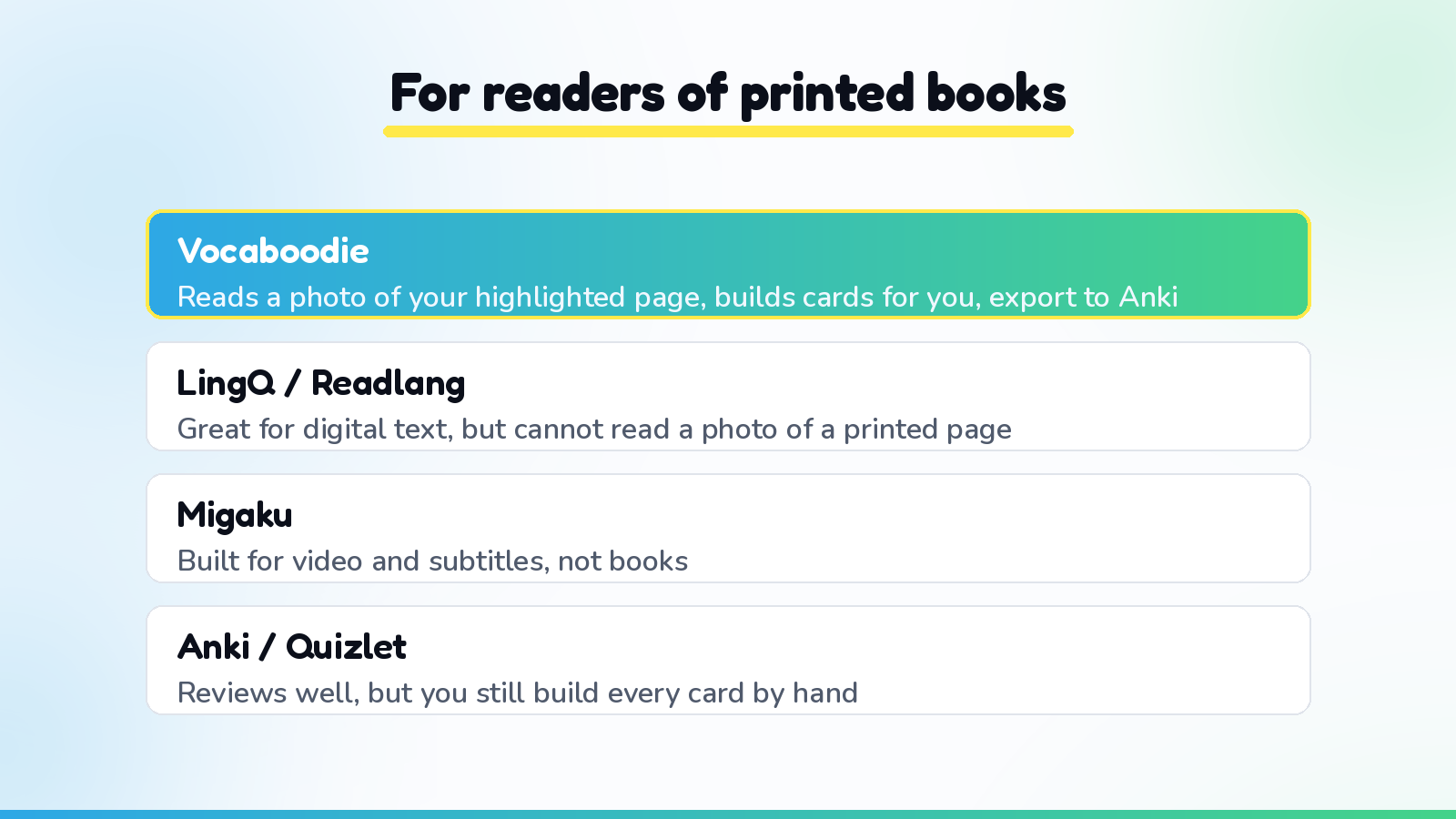
- Vocaboodie. Built around exactly the bridge above. You highlight words in your real book with any ordinary pen or highlighter, snap a photo of the page (up to ten pages at once), and the words you marked are pulled out with the sentence they appeared in, then dropped into a smart review schedule. You check an editable list before anything saves, so you can drop words you already know. No typing, no deck-building. And when you want to review inside Anki instead, you can export your words and take them with you, so choosing Vocaboodie does not lock you out of the tool you already like.
- LingQ and Readlang. Strong if your book is already digital. They work directly with on-screen text and make saving words easy, but neither can read a photo of a printed page, so a paperback leaves them with nothing to work from.
- Migaku. Good for learners working from video and subtitles. Books, and especially printed ones, are not its home turf.
- Quizlet. Pleasant and quick to start, but like Anki it still expects you to build every card by hand, which is the exact bottleneck a reader is trying to escape.
- Anki itself. Still the gold standard for the reviewing half, and worth keeping if you love it. Just pair it with something that makes the cards for you, then export into it, rather than typing each one out.
Notice the pattern. Almost every tool assumes your text is already on a screen or your cards are already made. The thing that sets a physical-book reader apart is that the words start life as ink on paper, and only a camera-first approach meets you there.
You do not have to leave Anki to leave the grind
The happiest setup, for a lot of readers, is not either-or. Keep Anki if its reviews are what got you this far. Just stop hand-building decks from your books. Let the photo turn a highlighted page into cards with context attached, review them wherever you like, and export to Anki whenever you want your words back in familiar territory. You lose the tedious part and keep the part that works.
If you are still deciding how the reviewing side should feel day to day, we wrote a plain-English guide to spaced repetition for people who learn by reading. And if you want to see the capture step end to end, how to make Anki cards from a book the fast way walks through it in full.
The takeaway
Anki did not fail you. It simply was never meant to do the hard half of a reader's job, which is turning ink on a page into cards in the first place. The easiest alternative is not a fancier review engine. It is a tool that closes that gap, reads the page you highlighted, keeps the sentence, and schedules the words, so all you have to bring is the reading you were doing anyway.
Ready to turn your next highlighted chapter into flashcards without building a single card by hand? Start with Vocaboodie and keep every word you mark.