Turn a Photo of a Book Page Into Flashcards
Most language learners already do the hard part without realizing it. You are reading a real book, you meet a word worth keeping, and you mark it, a highlighter stroke, an underline, a little star in the margin. That instinct is exactly right. The problem has never been noticing the words. It is everything that happens after you close the book for the day, when those marked-up pages just sit there, waiting for someone to turn them into something you can actually study.
For most people, that someone is them, typing each word into an app one at a time, hunting for a definition, writing an example sentence, hoping they remember which page it came from. It is slow enough that a chapter's worth of highlights can take longer to process than the chapter took to read. This is the exact gap a photo can close.
What actually happens when you snap the page
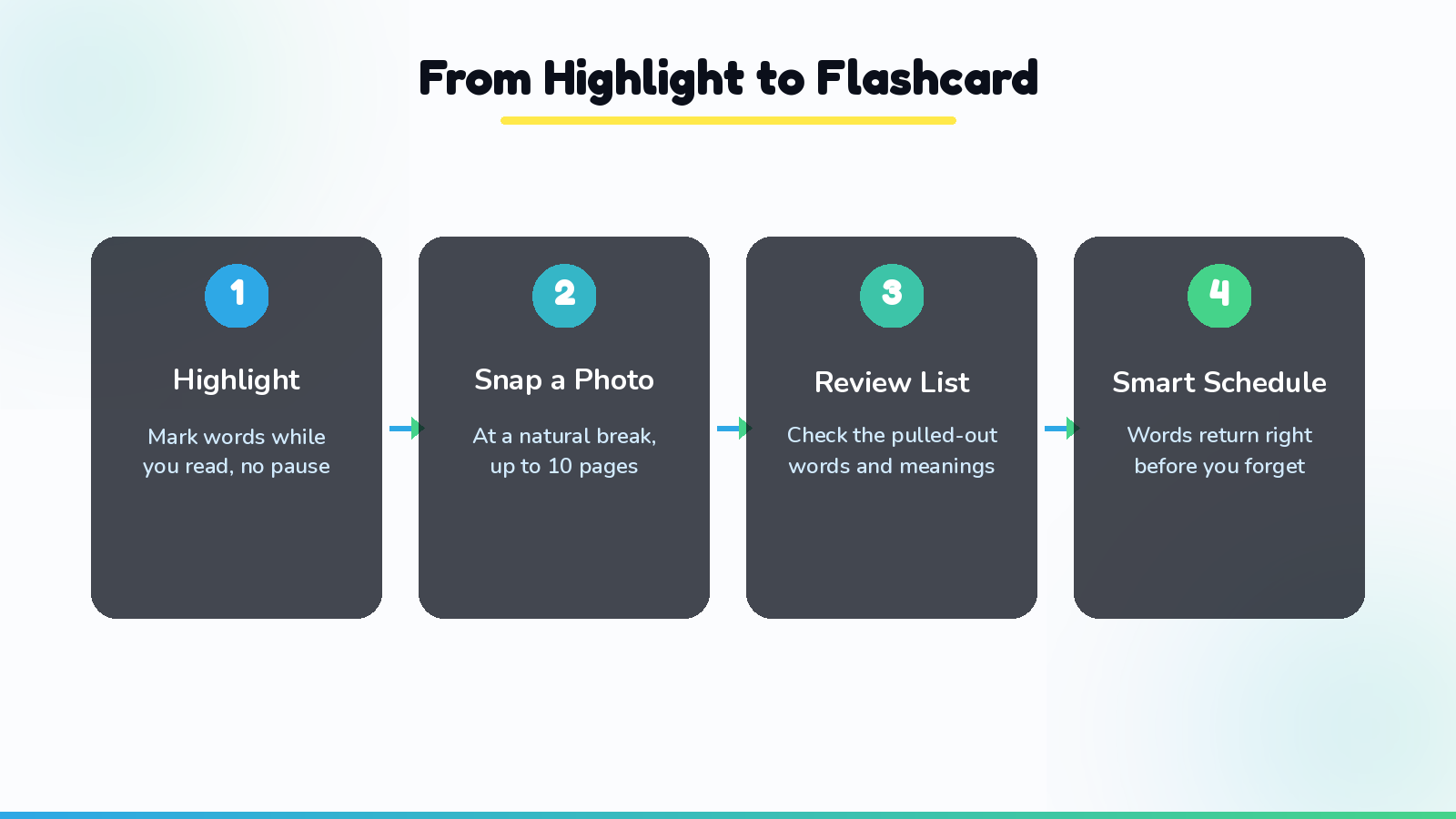
The idea is simple enough to say in one sentence: you take a photo of a highlighted page, and a finished set of flashcards comes out the other side. Here is what that looks like in practice.
You read as you normally would, highlighting words with any ordinary highlighter or pen, no special ink required. When you reach a natural stopping point, a chapter break, a red light, the end of your commute, you snap a photo of the page, or up to ten pages in one go if you have been reading for a while. The photo is read closely enough to pick out only the words you actually marked, ignoring everything else on the page. Each highlighted word gets pulled out along with the sentence it appeared in, so the meaning you get back is grounded in the exact context you read it in, not some generic dictionary entry that may or may not fit.
Before anything is saved, you get an editable list to look over. Missed a highlight, or want to drop a word you already know cold? Fix it there. Once you approve the list, the words move into a smart review schedule that brings each one back right around the moment you would otherwise start forgetting it, so the studying part takes a couple of minutes a day instead of a weekend of catch-up.
Why the photo step matters more than it sounds
It is tempting to think of the photo as a shortcut, a nice-to-have that saves a bit of typing. It is really the piece that decides whether the whole habit survives contact with a busy week.
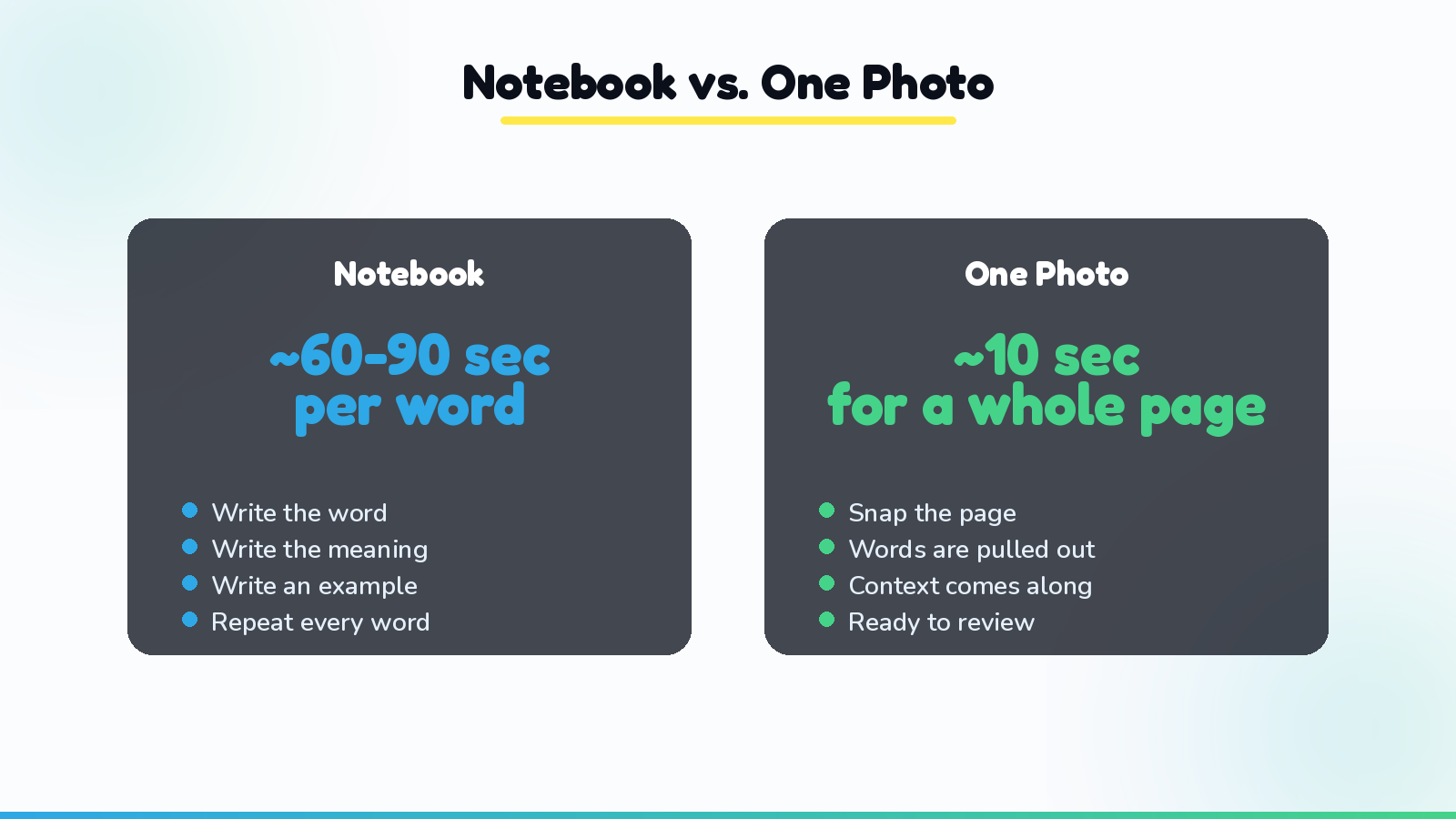
Typing words in by hand has a hidden cost that only shows up over time. The first ten words feel fine. By word thirty, most people are skipping the example sentence. By word fifty, they are skipping words entirely, only adding the ones that feel important enough to justify the effort. The highlights that never make it into a study list are not a small loss. Over a whole book, they are most of the vocabulary that book had to offer, quietly abandoned because copying them out took too long. Photographing a page takes about the same amount of time regardless of how many words are on it, which means the temptation to skip words mostly disappears. For a longer look at why that consistency matters more than any single study session, see spaced repetition for people who learn by reading.
Fitting it into a reading session that already works
None of this asks you to read differently. You keep the same highlighter, the same book, the same pace. The only new step is a photo at a pause you were already going to take anyway, since nobody reads a novel in one unbroken sitting. Some readers snap a page every chapter. Others wait until they finish a whole book and photograph twenty highlighted pages back to back in five minutes. Both work, because the camera does not care how much time has passed since you turned the page.
If you have ever tried to keep a running vocabulary notebook next to your book, you already know how quickly that habit falls apart. A notebook adds a second task, writing, on top of reading and remembering. A photo adds nothing extra to hold in your hands. For the fuller case on why this beats a notebook, we cover it in how to make Anki cards from a book the fast way.
Where this leaves the rest of your toolkit
If you are weighing this against other options for readers of physical books, here is an honest rundown:
- Vocaboodie. Built around the photo-first workflow above. Highlight in the book, snap the page, get flashcards with context and a review schedule attached, no typing required.
- LingQ and Readlang. Strong choices if your book is already digital, since they work directly with on-screen text, but neither one can read a photo of a printed page.
- Migaku. Focused on video and subtitles, not books.
- Anki and Quizlet. Reliable once the cards exist, but every card still has to be created from scratch, which is the exact bottleneck a photo removes. If Anki is where you like to do your actual reviewing, you can export your Vocaboodie words there any time.
For a printed book, a camera does something none of these text-based tools can: it reads a page the way you actually highlighted it, ink and all.
The takeaway
You were never the problem. The highlighting instinct was always correct, catching real words in real context, in a book you actually wanted to finish. The missing piece was a fast way to turn that highlighted page into something reviewable, and that piece turns out to be a single photo. Keep reading the way you already do. Let the photo handle the rest.
Ready to turn your next highlighted chapter into flashcards in one photo? Start with Vocaboodie and see how little effort it takes to keep every word you mark.